Built from real
client problems.
These offerings started where packaged options stopped short or didn't exist: too much tool, not enough fit, or a price that didn't match the mission. So I built purpose-built tools and shared them so other teams don't start from zero. Same principle as in engagements: fewer moving parts, more honesty. Every item here is battle-tested with real orgs, not slide-deckware.
Map Records and Take Action
See your Salesforce report on a map, select who’s inside a boundary, and send those record IDs to a Flow—in one free Lightning component. Draw a fence on OpenStreetMap with no API key, or add a provisioned GIS service when you need to click your organization’s boundaries.
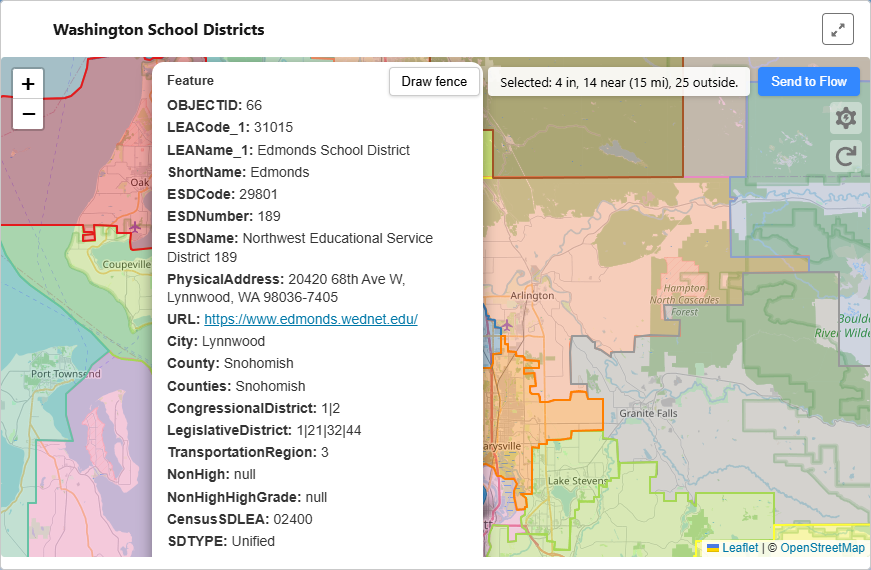
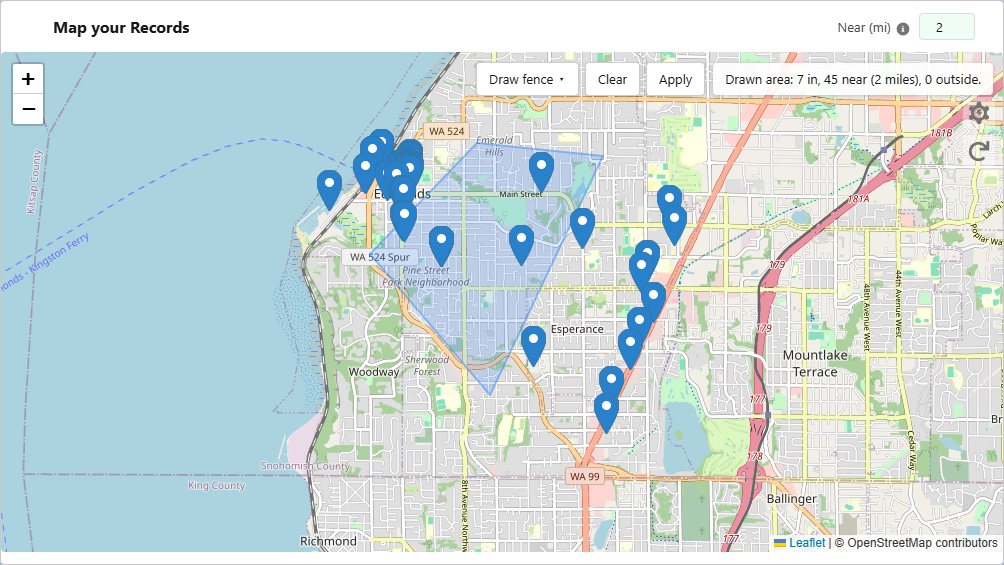
The three_levers managed package is free forever for local map, draw fence, IN / OUTSIDE / NEAR, and Send to Flow. Optional paid GIS services add hosted maps and click-to-select layers provisioned per client—no public layer catalog.
What you can do
- ✓ See records in context , which district, boundary, or area
- ✓ Click a boundary or draw a polygon to select records
- ✓ Get IN / OUTSIDE / NEAR record IDs, then send to Flow
- ✓ Take action based on geography , campaigns, assignment, outreach
Example use cases
- Constituent outreach by district → send to Flow
- Program coverage: who’s in this service area?
- Draw a territory, get IDs, run your process
Three Levers GIS API
Your boundary data, hosted on apis.threelevers.com, exposed to your org by a named service on your API key only. No public catalog—each layer is provisioned per engagement after we review size and complexity.
Map layers (click-to-select on the hosted map), geolocation lookup in Flow/Apex, and CensusGeocoder proxy share one pricing model: setup per service + API usage. Lookup is bundled with the same key—not a separate product line.
Learn moreWhat you can do
- ✓ Named
serviceper layer on your key - ✓ Hosted map + extract + lookup + proxy
- ✓ Quote-based setup + usage (not a shopping cart)
- ✓ Docs + email + phone for paid clients
Example use cases
- Constituent in which district?
- Site inside a park boundary?
- Program coverage by region
Lightning Flow iFrame Plugin
Embed Salesforce Lightning Flows on any website with dynamic height adjustment and querystring variable passing , solving the iFrame sizing problem that every Flow-on-external-site implementation eventually hits.
Born from a real client project: a job request flow that needed to run on an external WordPress site. Static iFrame height broke multi-screen flows, and passing input variables required custom plumbing. Version 1.1.0 adds FlowIframeEmbed embed mode with plugin settings and a bare [Lightning-Flow-iFrame] shortcode.
Features
- Dynamic iFrame height , auto-adjusts to Flow content
- Pass querystring variables from parent page to Flow
- Plugin settings for default URL, flow, and end URL
- Bare shortcode when defaults are configured
- Finish URL redirect on Flow completion
- Easing animation for height transitions
- Lazy loading support
- Pure JavaScript implementation for non-WordPress sites
Implementations
More Coming
Additional tools and packaged offerings are in development. Get in touch to be notified when new projects are released.