
OpenAPI import
Per-service specs
Section titled “Per-service specs”Each provisioned dataset exposes its own OpenAPI (Swagger) description. Lookup, extract, and proxy bridges may each use a different URL—import only the spec for the layer you are wiring. The same API key authenticates every import; you choose the service in the Swagger URL and in each Flow call.
| Integration | Typical Swagger URL |
|---|---|
| Lookup / extract (boundary service) | https://apis.threelevers.com/gis/v1/swagger.php?service={YourServiceName} |
| Proxy (e.g. CensusGeocoder) | https://apis.threelevers.com/gis/v1/proxy/swagger.php?service=CensusGeocoder |
Replace {YourServiceName} with the exact name from Three Levers onboarding—not example names from demos unless that is your licensed service.
Prerequisites
Section titled “Prerequisites”- Salesforce setup completed through permission set assignment (Named Principal + custom setting API key).
- Package Named Credential
Three_Levers_APIavailable in the import wizard.
Salesforce External Service workflow
Section titled “Salesforce External Service workflow”Full step-by-step with screenshots: Salesforce setup — Steps 5–6.
Summary:
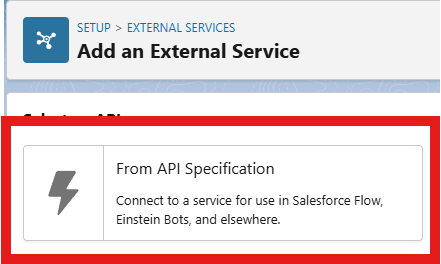
- Setup → External Services → New External Service → From API Specification.
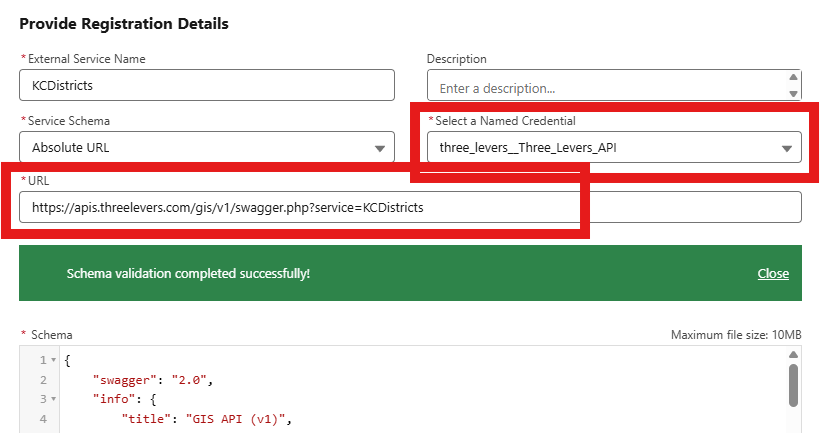
- Provide Registration Details — Absolute URL, Three Levers API Named Credential, Swagger URL with your
servicename.
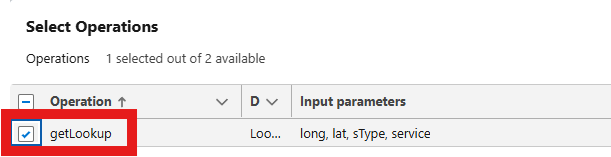
- Select Operations — enable
getLookup.
- Save and wire the generated action in Flow (for example Get Lookup under External Services).
Security definition in the spec
Section titled “Security definition in the spec”Imported specs declare header ApiKey. At runtime Salesforce sends the key from the External Credential Named Principal—you do not embed the key in the OpenAPI URL or Flow.
Multiple services on one API key
Section titled “Multiple services on one API key”Create one External Service registration per service name (one Swagger import each). Reuse the same Named Credential and same API key for all imports—districts, routes, and proxy services can coexist on one key.
Example Flow action names when an org has two boundary layers (illustrative):
Acme_Districts.getLookupAcme_Routes.getLookup
After import
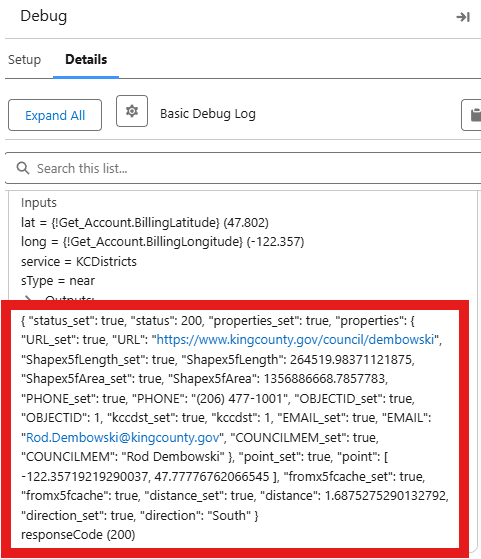
Section titled “After import”- Generated types reflect that service’s schema—property names differ between layers.
- Optional fields may appear with companion
_setflags in Flow; map only the fields you use. - Success bodies may appear directly on the action output or under Code200—confirm responseCode
200in Flow debug.
Map component vs External Service
Section titled “Map component vs External Service”| Use case | Configuration |
|---|---|
| Flow / Apex lookup | External Service from swagger.php?service=... |
| Hosted map overlay | Component JSON service + serviceUrl; token via MapTokenService — Hosted map |